
What is ‘NAT DHCP’?
There are two parts that make up NAT DHCP, first the NAT, and then DHCP. You will find explanations for both below.
What is ‘DHCP’?
DHCP stands for ‘Dynamic Host Configuration Protocol’. It allows for each device to have it’s own unique name on a network, allowing information to be sent to and from it individually.
Consider that no matter what device you are on a local network, if you find the public IP address (what the world sees you as), it will be the same. At the same time, these different devices are able to connect to different things at the same time, and both function independently of one another.
In order to do this, each of those devices must have a different internal network name. In the past, this had to be done manually for every device on a network. With DHCP, this process is automated. It allows each device to be automatically given its own network name, without having to assign them manually.
In the ‘NAT DHCP’ menu, you’ll see the following information:
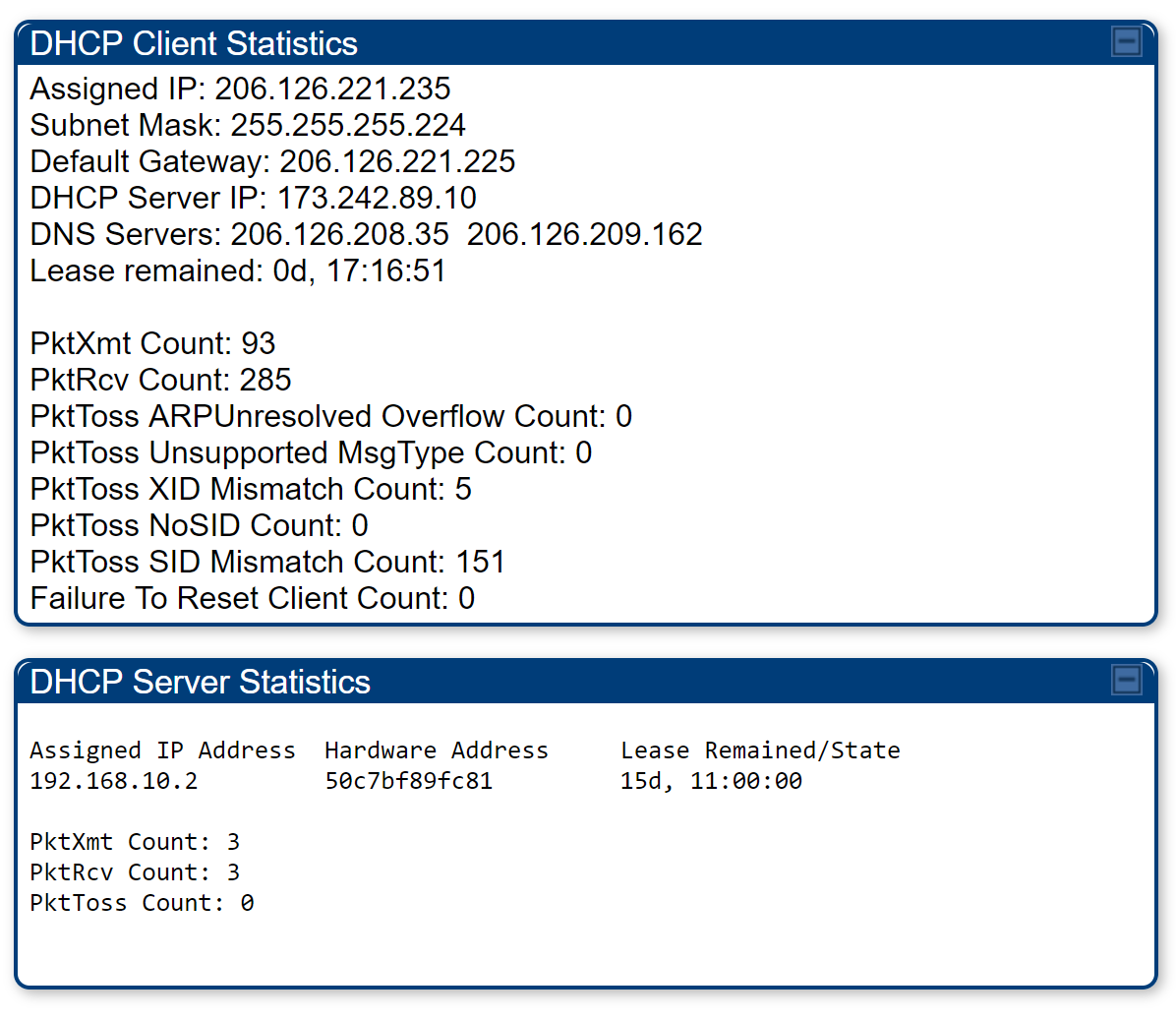
DHCP Client Statistics:
This is the DHCP the SM itself pulls from our infrastructure.
DHCP Server Statistics:
This is the DHCP the customer’s device is pulling from the SM. Typically, this is a router. The lease will remain active for the full 30 days, and will be refreshed once those 30 days are up if the device is still active.
This means that you will be able to see all devices the customer has used to connect to the SM – as in different routers, and different computers (if they bypassed their router).
If you see more than one device, ask the customer what the device is. If the customer sees many devices, and claims to have only plugged in the one, the customer’s router is either dying or it is set to bridge mode. If the customer doesn’t know what bridge mode is, their router is dying.
What is a ‘NAT’?
A NAT, or Network Address Table, is the table where the information for all of the different connections made on the equipment.
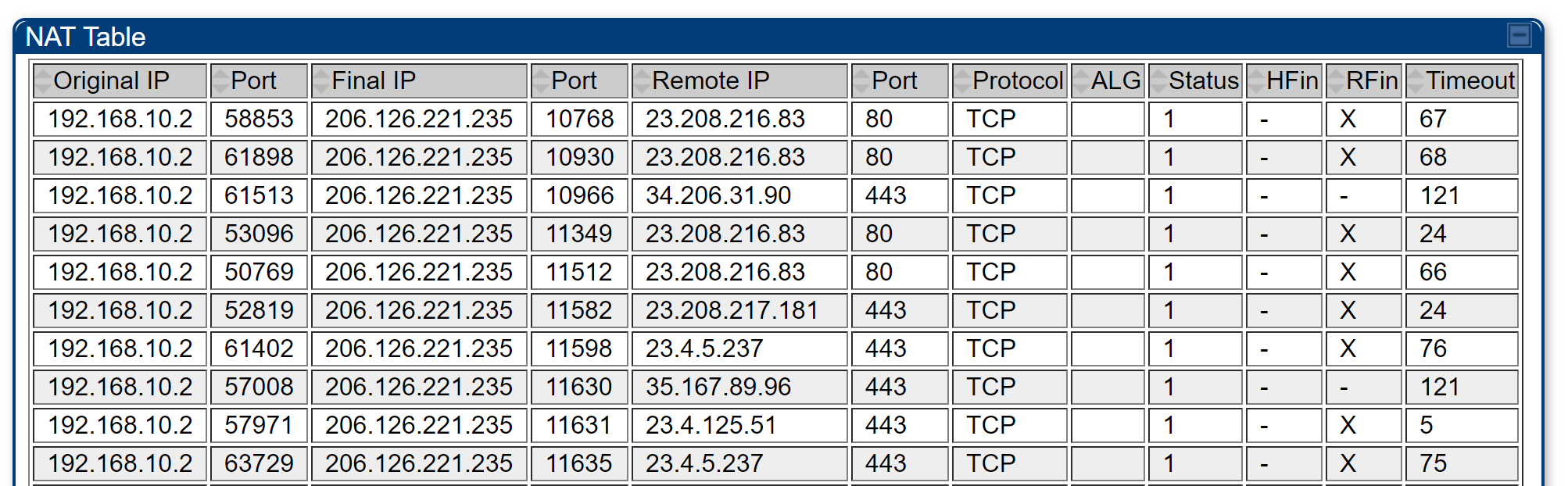
Here is an example of the NAT table as found in an SM.
Original IP: This is the device that is sending out the request. Normally, there is only one ‘active’ device – the customer’s router.
Final IP: This is the customer’s public IP address, or the IP that they appear to the world as.
Port: Different web traffic comes across different ports, because it does. Different ports are used for different things, because they are. As an example, ports 80 and 443 are commonly used for normal web traffic.
This table can only hold a certain amount of information, 2048 entries by default. If the customer exceeds this limit, they will not be able to connect to any new websites until some of the entries time out, and clear themselves from the table.
To check if this has been happening, go to Statistics > DHCP Statistics, then check the ‘Out Of Resources’ count.