Bridging an SM
Procedure:
1) Open the SM’s page, and navigate to Configuration > NAT.
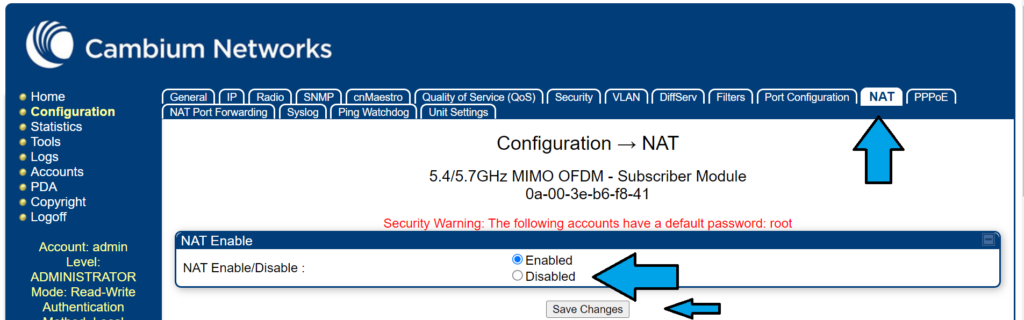
2) Once on that page, change NAT Enable/Disable to Disabled. The equipment will reboot.
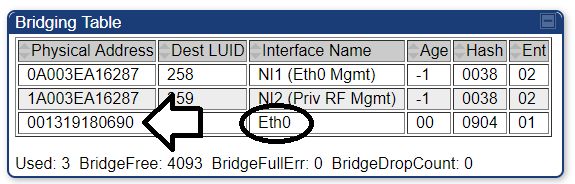
3) Navigate to Statistics > Bridging Table. In the bridging table, copy the Physical Address of the device with the Interface Name “Eth0”.
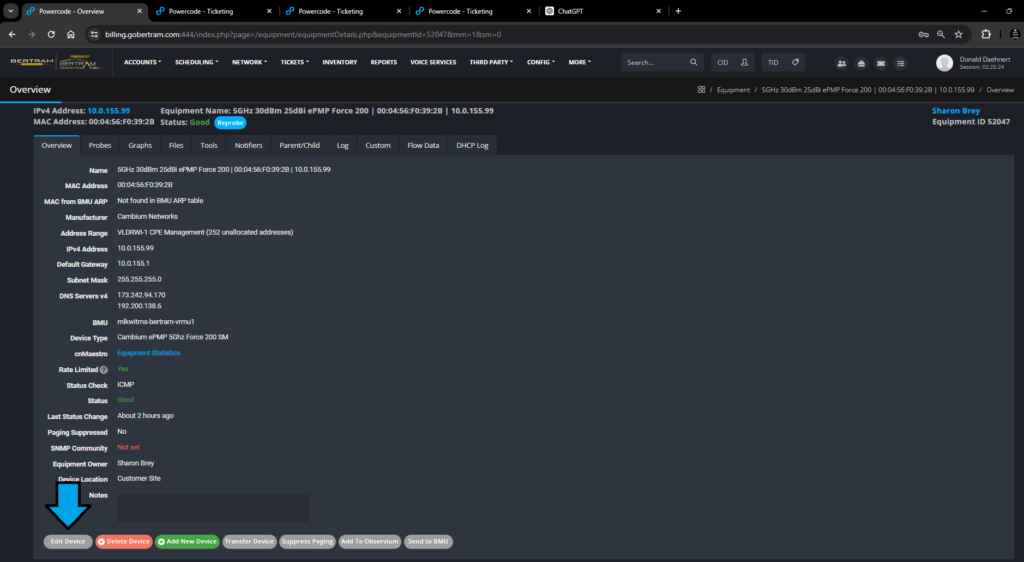
4) Once this is copied, go back into the account in Powercode. Click on ‘More’ to view the customer router settings.

5) Click the Edit Device button at the bottom of the screen.
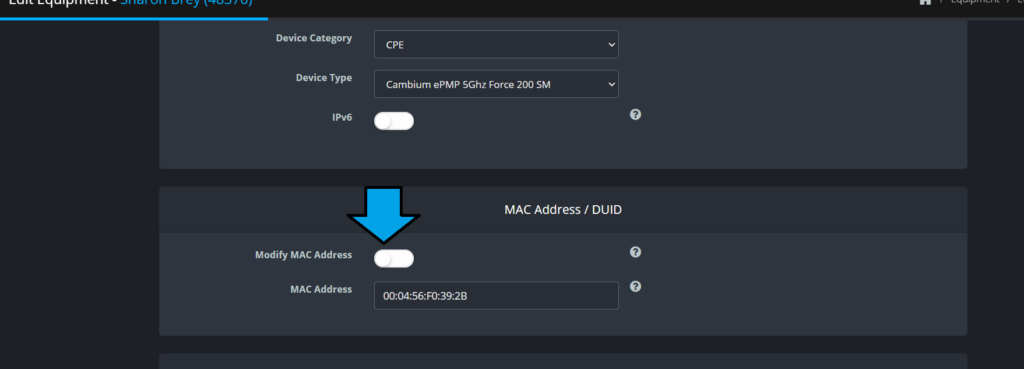
6) Click on ‘Modify MAC Address’, then enter the customer’s router’s MAC address. After saving, the equipment will reboot. Expect it to take longer than normal.