
Customer Tasks
Customer Tasks gives you a reminder system for following up with customers, make scheduling changes, and other time management tasks.
Adding a Customer Task
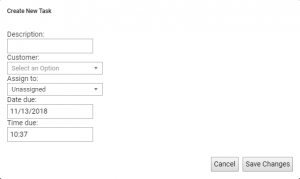
1) Click the add Tasks button on the customer’s Powercode page.
2) Write a description of the task.
3) Select the customer from the drop down menu.
4) Select which representative the task is assigned to.
5) Select the date and time you want to be reminded on.
Managing My Tasks
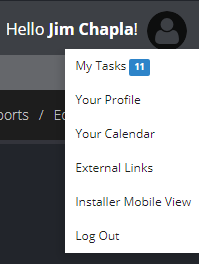
You can find ‘My Tasks’ under your profile’s drop down menu. Select My Tasks to open your control panel.
In the control panel you will see all the current tasks you have created. Selecting the customer’s name will bring down a drop menu of the following information.
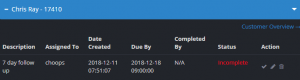
Here you can see the description of the task, who’s it is assigned to, date created, date due, who completed it, and it’s current status.