







1. Home
  2. Support
  3. Bertram Process Guides
  4. Fiber Troubleshooting Slow Speeds
  1. Home
  2. New Hire Training
  3. Optic Loop
  4. Fiber Troubleshooting Slow Speeds

Fiber Troubleshooting Slow Speeds

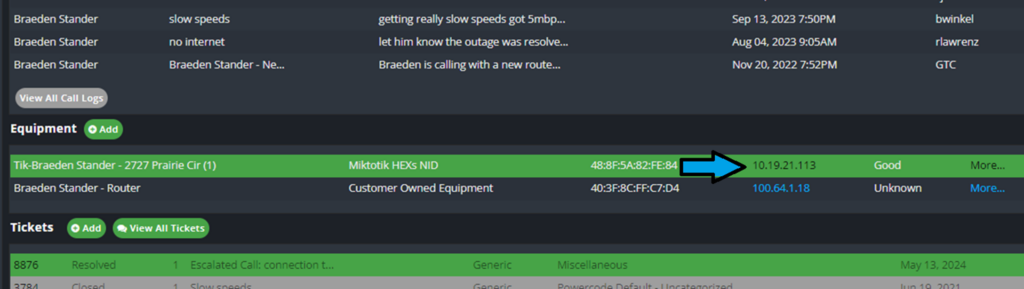
Click IP on account
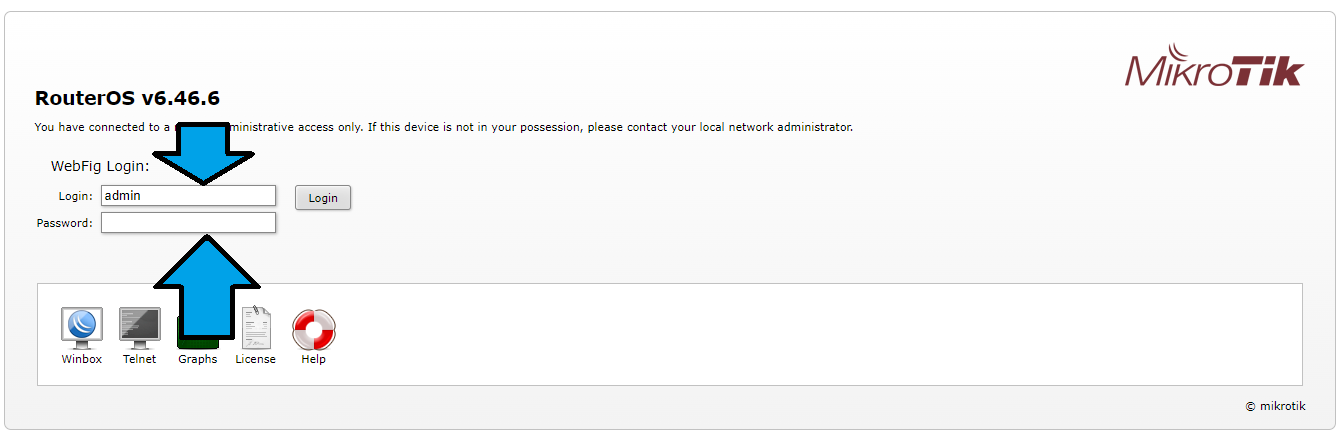
Login with credentials: admin kara!@@% ( hold shift 1225)
Click WebFig
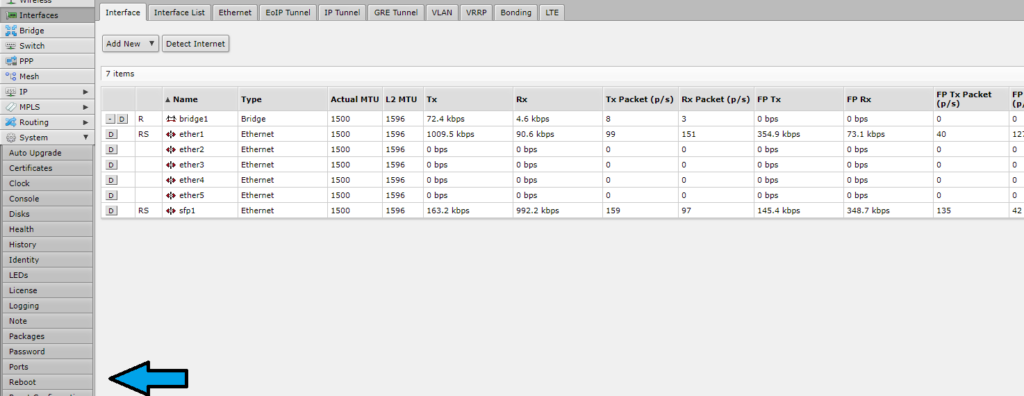
Click Interface tab
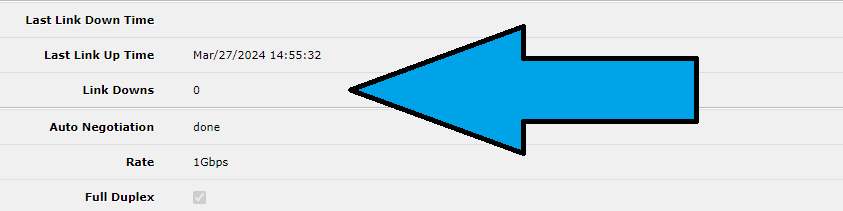
Check SFP 1 For 1GIG Link
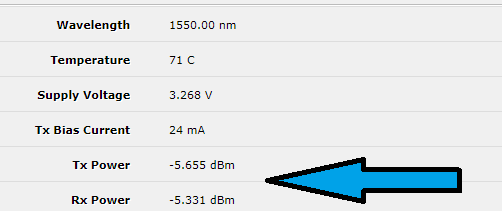
Check light levels ( 5-12 are normal ) If not in that range bring to engineer.
Click Ether1 for interface statistics
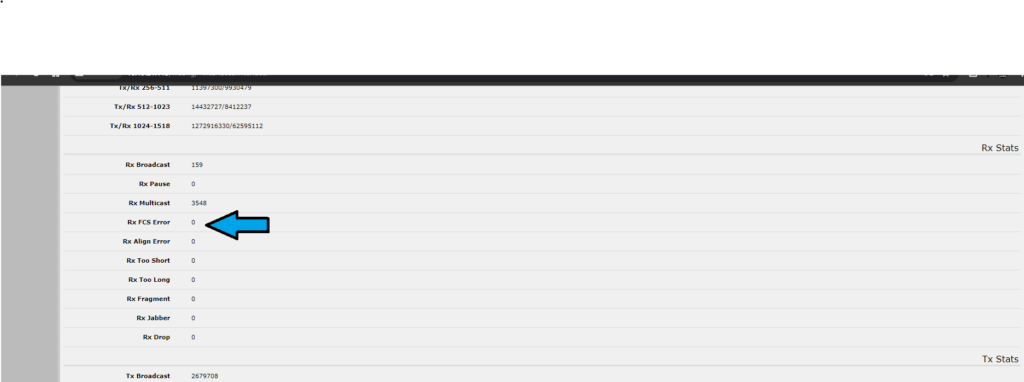
Scroll down for Ethernet Errors
Scroll down to check for 1Gig Termination. Bypass with customer if less then 1Gig.
Bridge Interface
Host Tab
Ethernet 1 Mac address ( Customer WAN)
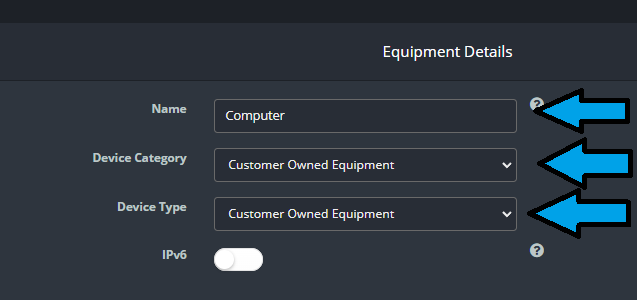
Add Equipment to PC for bypass
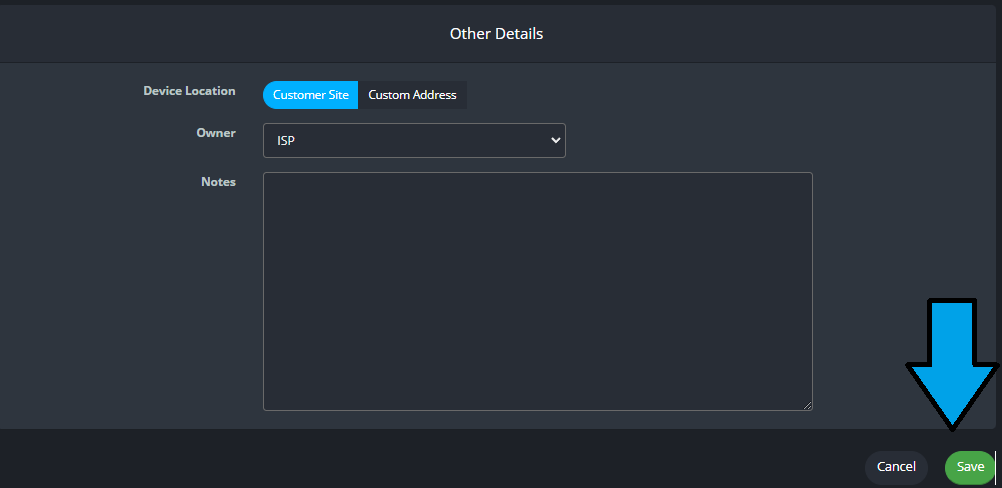
Edit equipment details
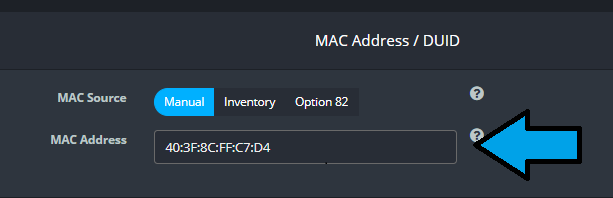
Add MAC address from Ether 1 in bridge table under host tab
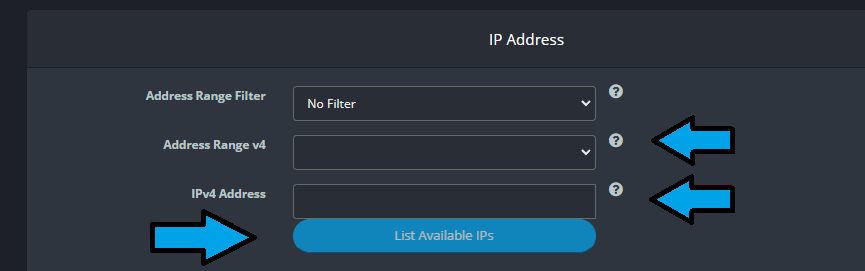
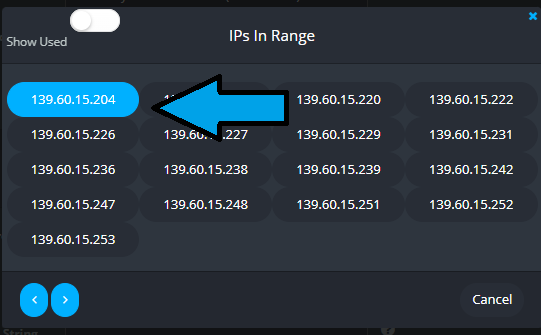
Select IP range from the correct customer DHCP pool
Select IP from list after filling in drop downs
Save Changes
WebFig to get to main option selection.
Select System drop down then REBOOT

Have customer go to speedtest.net and make sure they are on the Ogden Utah and Optic Loop Server.

Speeds for fiber should be consistent. Down and up should be 900/900 if on 1GB connection , watch for any errors on the NIDS ethernet interface. Make sure that the device they are using is able to do up to 1GB of data transmission. This will normally show as 1000base-t full duplex, any thing lower than that and the device will not be able to handle the speed at which the data is moving to the device.

You can reboot the NID from the interface , by going to system , reboot. The NID will restart and you can try the speed test again. you have to reseat the ethernet cable going into the customers computer for reconnect.

If they are still not getting with in plan speeds this should be sent to a engineer.

Updated on May 15, 2024

Was this article helpful?

Related Articles

Leave a Comment