
New Installation – Home Owner
1) Lead Account Creation
Enter the customer’s information in Powercode, including the customer name, phone number, email address, address, referral information, and billing county even before checking the shot to their location. If we do not have their contact information, we cannot inform them if we build a new tower site in that area.
If it is unable to find the address, Powercode will give the message “Failed to calculate latitude and longitude”. If this problem occurs, verify the address, and try again.
If the issue persists, use google maps to find the address. To do this, search the address, then drop a pin on their house. When the pin is dropped, it will give the coordinates for that location. In the ‘Location’ tab, uncheck the ‘Automatically Geocode’ option, then enter the coordinates obtained from Google Maps.
2) Checking Their Location
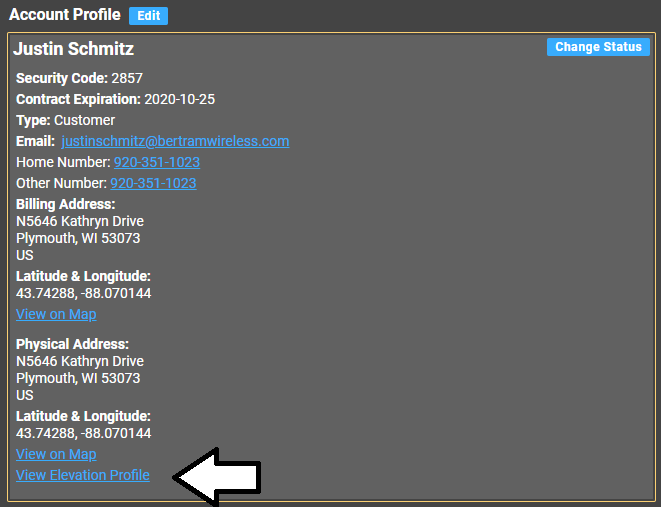
Once on the customer’s lead account page, click on ‘View Elevation Profile’.
3) Checking the shot to their location
Look on the graph for any obstructions, clicking to different tower sites to see if there is a clear shot to the location. Change the view from ‘Road’ to ‘Aerial’ to check for trees in the line of sight as well.
Ask the customer how tall their house is, then adjust the ‘Customer Height’ accordingly. Keep in mind that even a ten foot tripod with a ten foot pole will add, at most, sixteen feet.
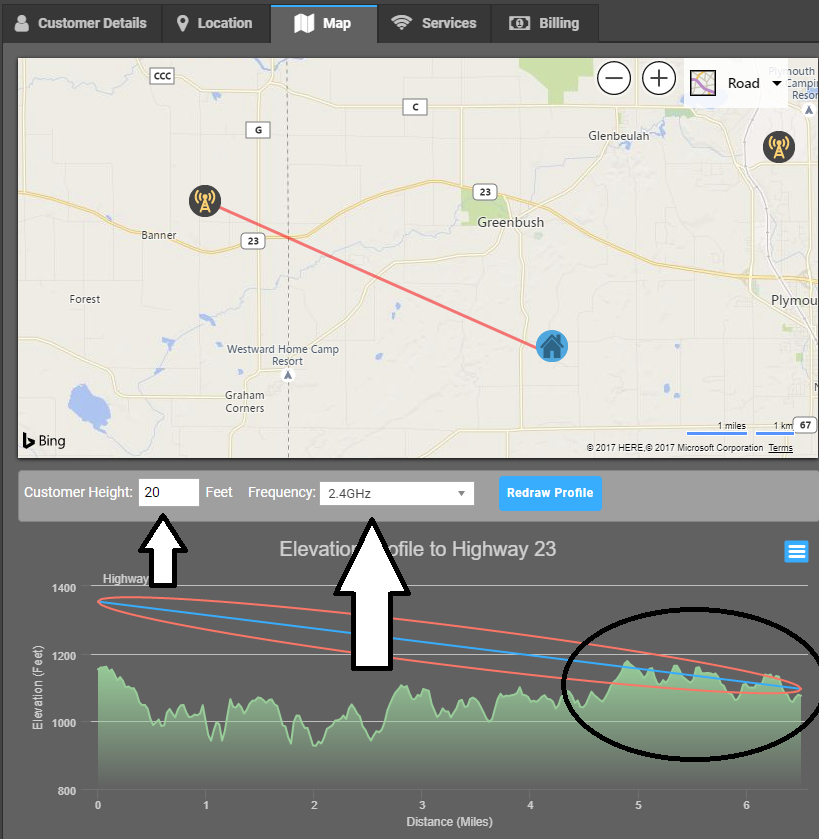
The Blue Line is the actual line of sight. This is the hypothetical path the signal should be taking.
The Red Oval is the Fresnel zone. This is the path the signal actually takes. In an ideal scenario, there is no obstruction of this zone, though mild obstruction may still be serviceable.
Generally speaking, the frequency of the Freedom 450 equipment is 5GHz, though the Shirley, Ashippun, Nordin North, and County C towers all use 2.4GHz.
Be sure to get a figure from the customer for how tall their house is, and adjust the elevation profile wizard accordingly. Additionally, tripods are available in five and ten foot versions, each paired with a ten foot pole, to deliver up to sixteen feet of additional height.
If the customer does not want to mount the equipment on their house, and instead wants to mount the equipment on a post, we can schedule a site survey for a technician to go out to the location and tell them where to mount the equipment. This will be at a cost of $80.00, $50.00 of which will be added to their account as a credit if they install.
If the customer has a silo or any other tall building, we can mount on these as well, keeping in mind that we will need either a cable trenched from the mounting location to the house or a point to point setup.
If a customer needs a tower to have a shot of service, and is interested in installing one, follow the procedure below.
a) Initial Site Survey
Schedule an initial site survey, and have the customer procure a lift for the date. Try to estimate in powercode roughly how tall of a lift would be needed, though have the customer err on the side of caution – better to have a lift be too tall than too short.
The initial site survey will incur a charge of $80.00, of which $50.00 will be added to their account as a credit.
c) Scheduling the Installation
Once the tower is installed, have the customer call back to schedule the installation.
The cable itself cannot exceed 326′, as that is the technical limitation of the cabling. Past this point, the customer would need to use a point to point system.
A point to point system allows customers to install their equipment at a site a great distance away from their home, without running a cable. As an example, if a customer is installing on their barn, a customer can install one point of the system on their barn and the other point on their house.
The point to point system requires a feed of electricity at both ends of the system, to power both the SM (customer radio) as well as the point to point.
A point to point (PTP) set up can be added to any installation package for a one time fee of $280.00. This includes the cost of the equipment only and not the installation. Note: They are still responsible for the installation fee. Customers can agree to our 3 year contract or they can pay the 175$ installation fee. As long as the full installation fits in the standard 2.5 hr. install time, there is no additional charge. Any additional time is charged at $75.00/hr.
Note: If a PTP system requires maintenance, it will be charged at a rate of $75.00/hr. in addition to the cost of any parts, if needed. If a unit is defective and needs to be replaced, it will be at a cost of $140.00. The units are not covered under any sort of warranty.
4) Home Owner Installation Details and Pricing
The following applies exclusively to customers who own their property.
Home owners looking to install have two options:
For customers who are looking to be installed with no contract, the following fees apply and will be paid at time of installation:
- $175.00 Standard Installation Fee
- Includes 2.5 hr. of installer labor (add’l labor charged at $75.00/hr.)
- 150′ cabling (add’l cable charged at ¢50/ft.)
- $10.00 One Time Rental Fee
Note: Though there is no service agreement, the customer still must sign the Terms of Service Contract.
If the installation fails, there is no charge.
Tripod Costs
There are two tripods that can be used for installation if needed, a five foot tripod and a ten foot tripod, both paired with a ten foot pole.
Note: Three foot tripods are no longer available.
- 5×10: $65.00
- 10×10: $160.00
After installation, the customer has a 30 day trial period. If the customer is not happy with the service, we will let them out of their contract, pick up the equipment, and refund them for any and all costs incurred.
For customers who are interested, we provide the option of a three year service agreement. In exchange for the agreement, we will waive all costs related to the installation (with the exception of PTP systems).
This includes:
- 3 hr. installer labor (add’l labor charged at $75.00/hr.)
- 150′ cabling (add’l cable charged at ¢50/ft.)
- A 5′ or 10′ tripod (if needed).
If the installation fails, there is no charge.
Note: The customer will be charged a one time $10.00 rental fee. This is a legal requirement and cannot be waived.
If the customer terminates service before their contract expires, they will be charged a $350.00 Early Termination Fee (ETF).
After installation, the customer has a 30 day trial period. If the customer is not happy with the service, we will let them out of their contract, pick up the equipment, and refund them for any and all costs incurred.
Tower Speeds Spreadsheet: Use the following link when determining what speeds can be used on what towers for sales. Note: You will need this to be shared by one of our senior level techs. Provide them with your Bertram Communications email to gain access.
https://docs.google.com/spreadsheets/d/1Imt9ELIK0GgrCZ4fs37qHh0FGdl37z_rWUtP5svc2LY/edit#gid=0
5) Creating the job
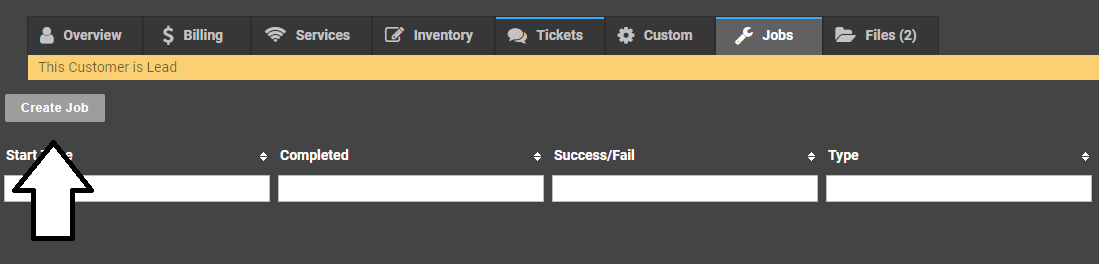
To create the job, click on ‘Jobs’ in powercode, then ‘Create Job’.
USE THE FOLLOWING TEMPLATES WHEN SCHEDULING JOBS.
Install
Time:
Phone:
Plan:
Contract:
Roof:
Router:
Tower:
Tripod
Covid-Prescreen:
Tech Notes:
Upgrade
Time:
Phone:
Contract:
Plan:
Tower:
Roof:
Tripod:
Receive Power:
Pre-screening:
Tech Notes:
Service Call
Time:
Phone:
Cost:
Tripod:
LCT:
Roof:
Pre-screening:
Tech Notes:
Equipment Pick up
Phone:
Roof:
Tech Notes:
7) Scheduling
Let the customer know that our dispatch team will contact them with a date unless they have a specific one in mind. Do not promise them a date, let them know that we will do our best to honor it but it can be moved due to business needs.