
Go to www.surveymonkey.com
Username: BertramCommunications
Password: Bertrampassword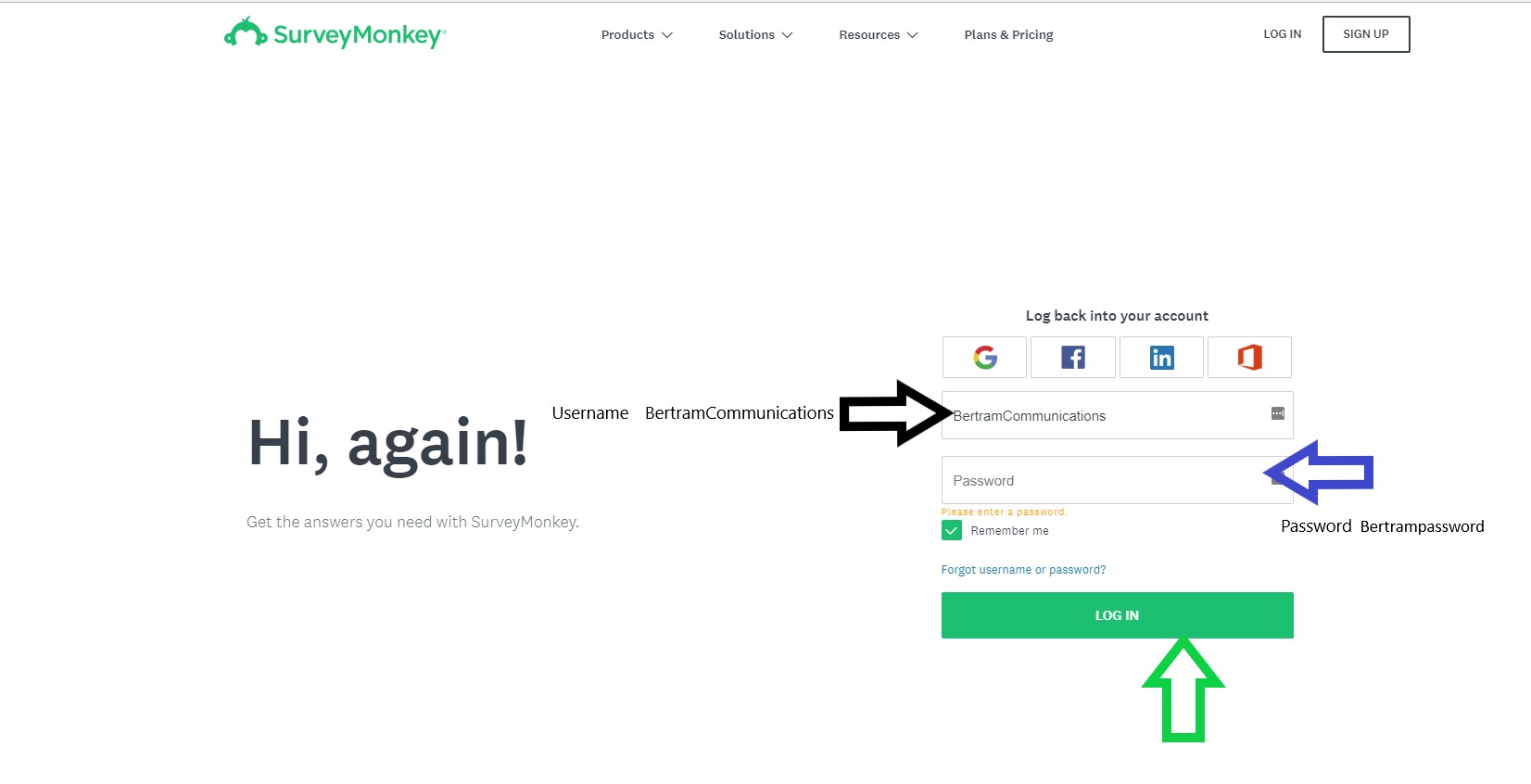
This will take you the recent surveys screen. In the upper right hand corner you will see “create survey” button.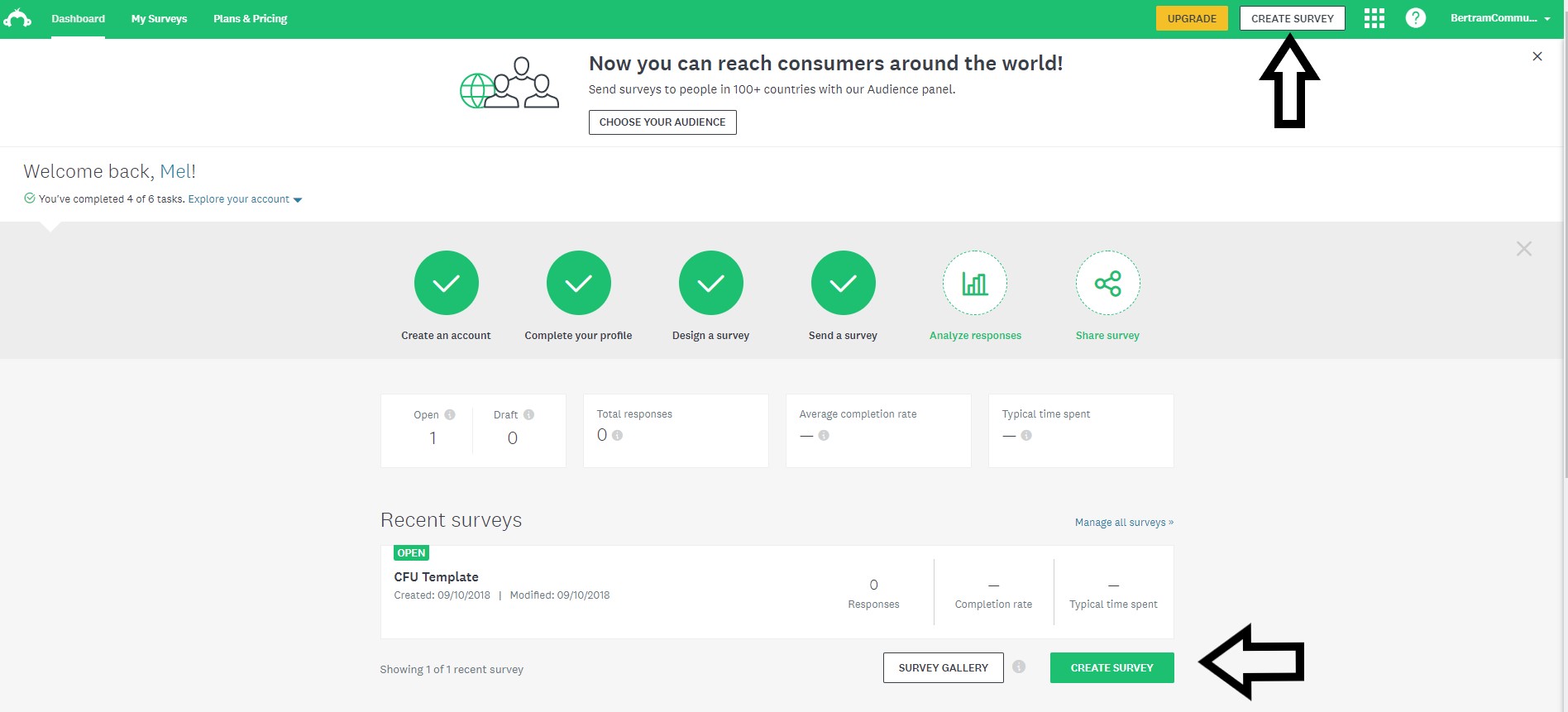
Select “Copy Existing Survey”
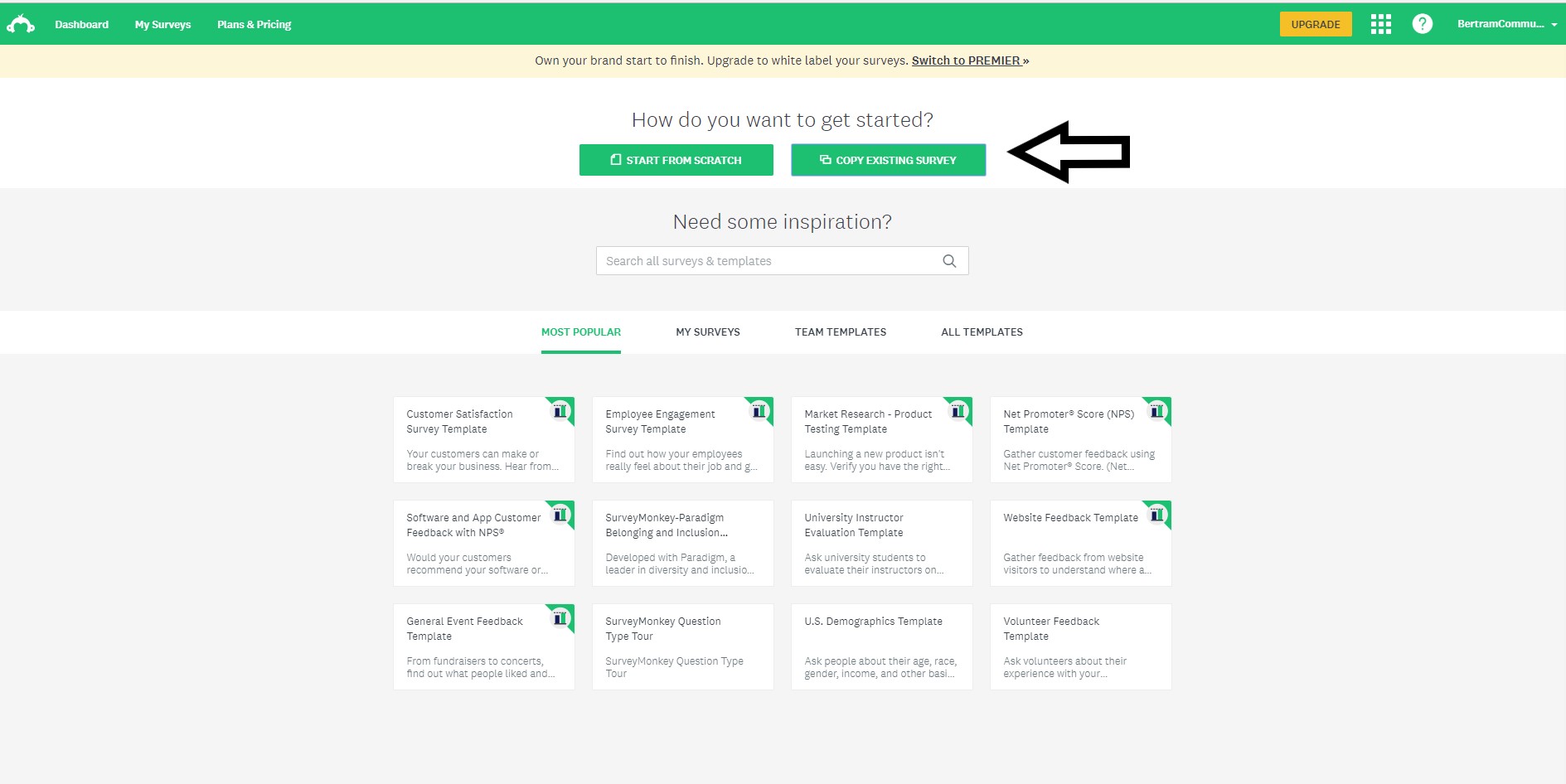
Choose the CFU (customer follow up) template
Select copy when the window pops up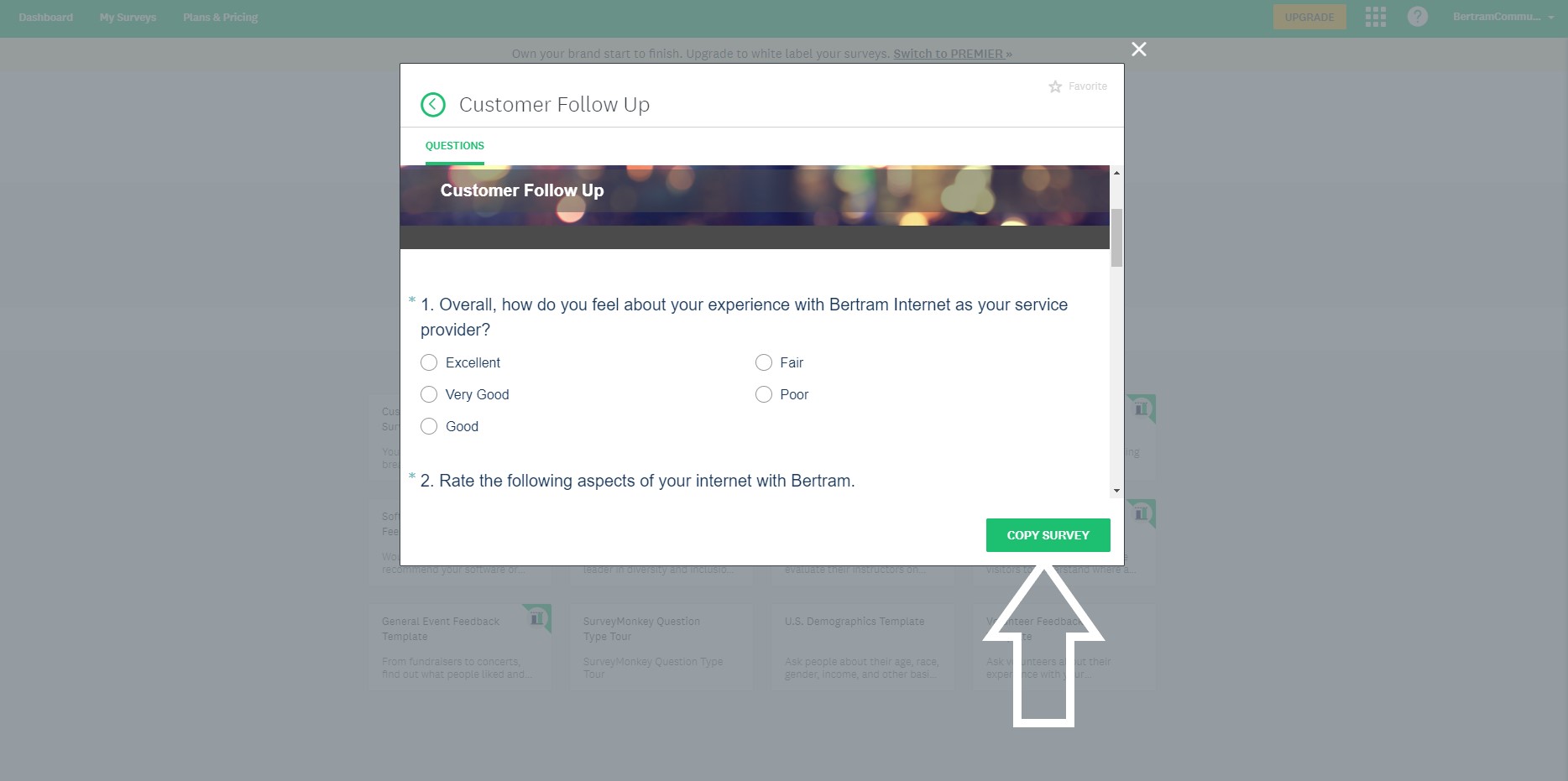
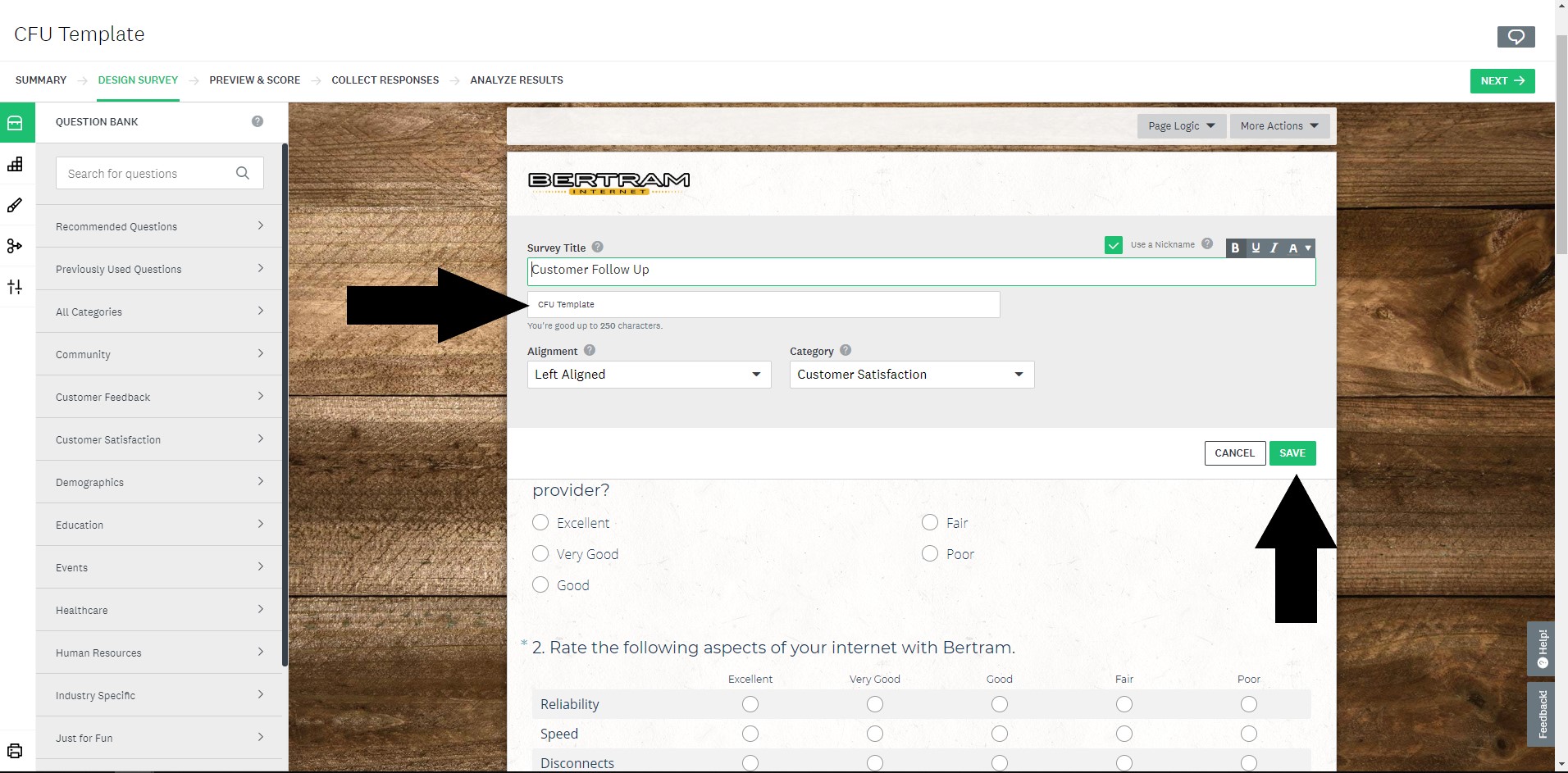
When the survey design survey window loads click on the customer follow up title on the header of the survey.
In the second line delete out Template and replace it with the day’s date and select save
You can jump to the Collect Responses tab and select “Send by Email” option.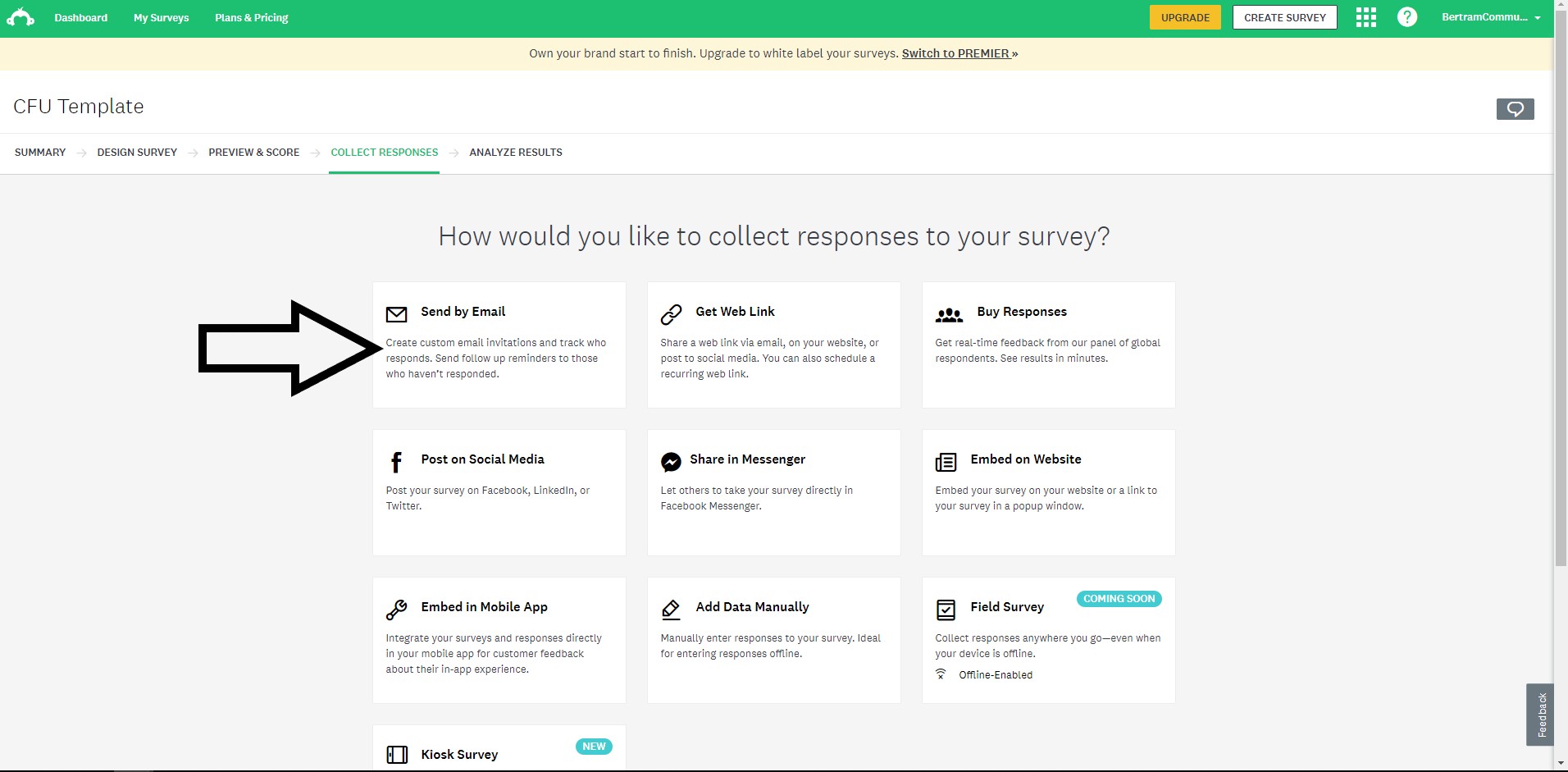
You will copy and paste the email address from all the successful jobs into the “Send To” section (found on the Monthly QA Sheet which you can learn about here)
In the subject line, enter:
Bertram Internet: 48 hours to receive up to $15 in Bertram Internet bill credit!
Hello there!
You recently had a service technician at your location, and we would love your feedback! Please fill out this survey within 48 hours of receiving to earn your first $5 credit. Leave a detailed review on Facebook and Google and get another $10 credit!
We appreciate your continued support and we are always looking to improve. Please give us a call at 920-351-1023 with any questions. Thank you!
Sincerely,
The Bertram Internet Team
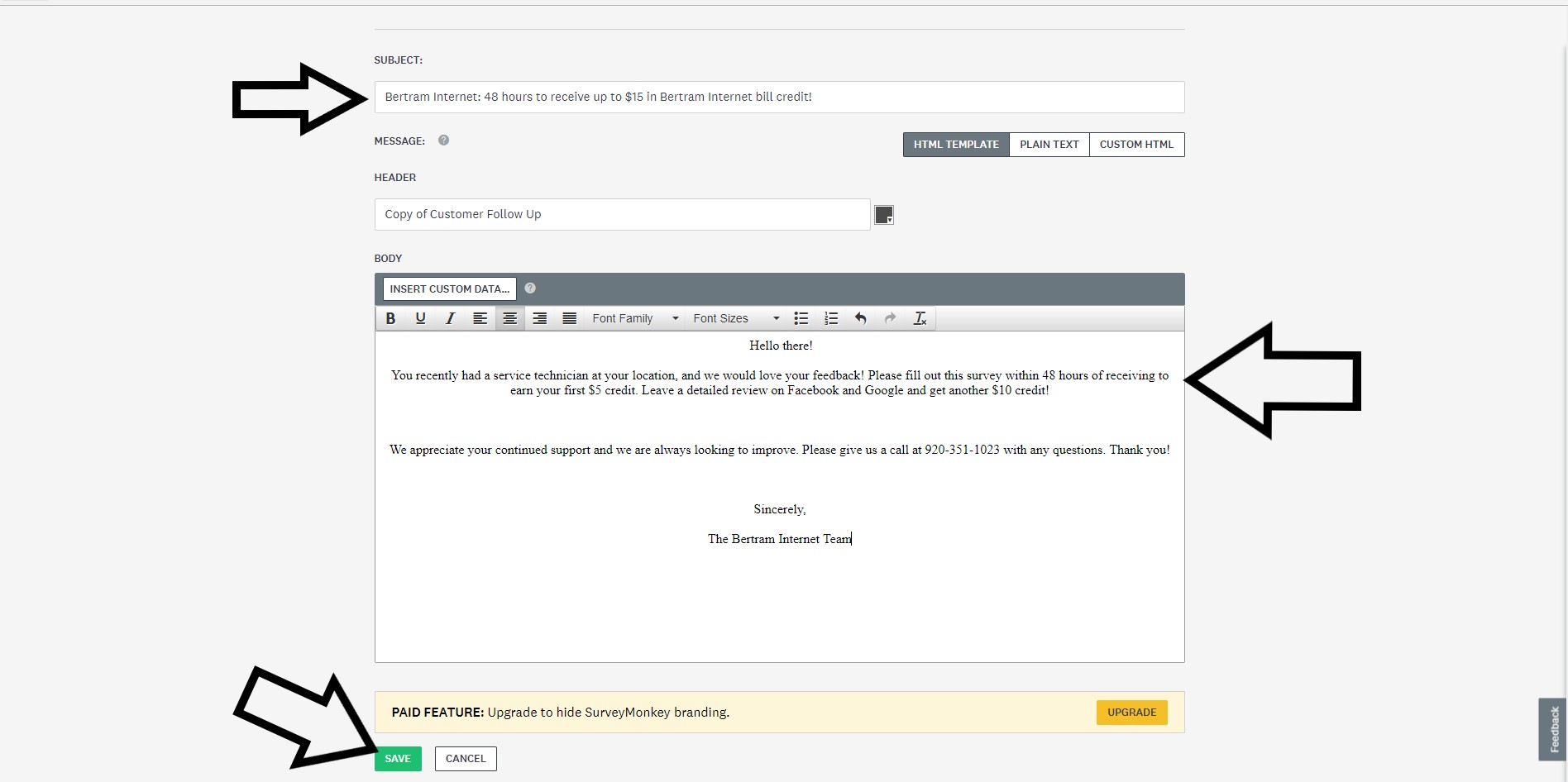
Click on the next button
Under the email invitation 1 options section, change the email address to support@bertramwireless.com
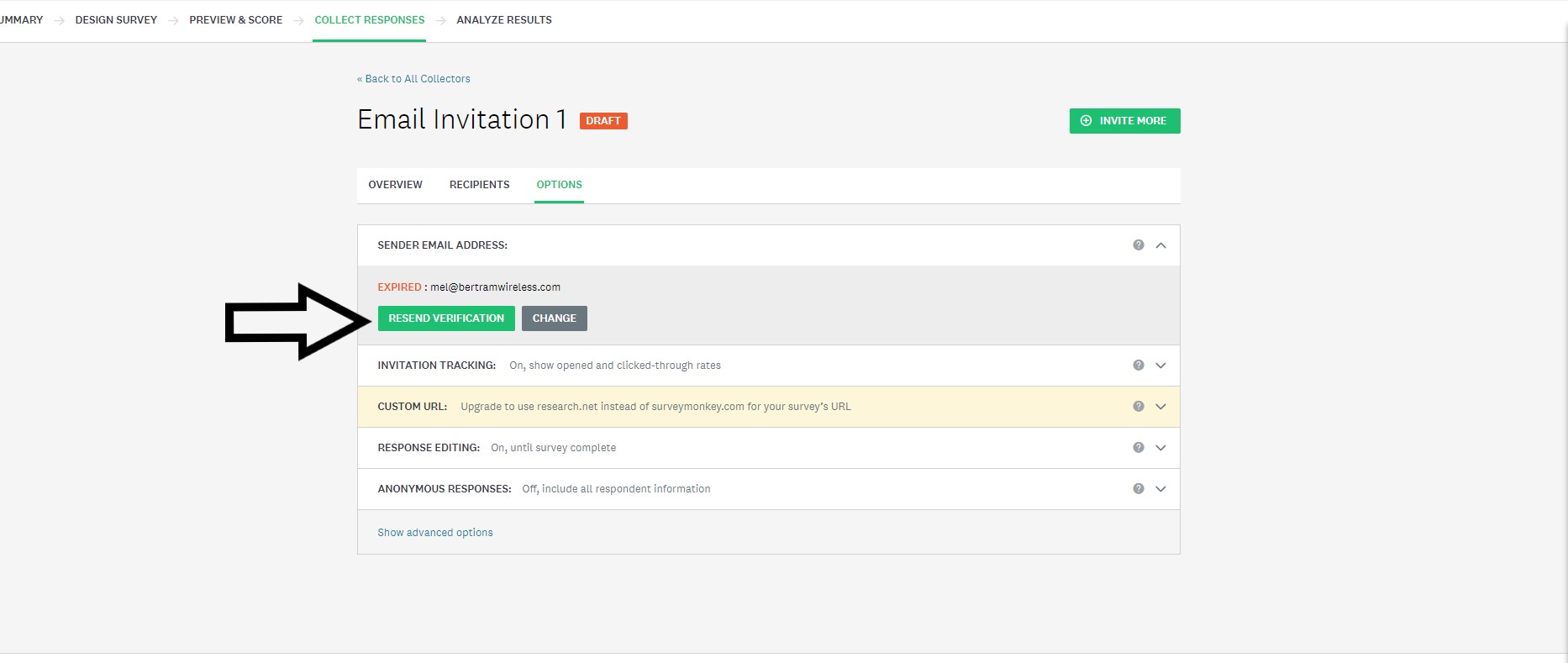
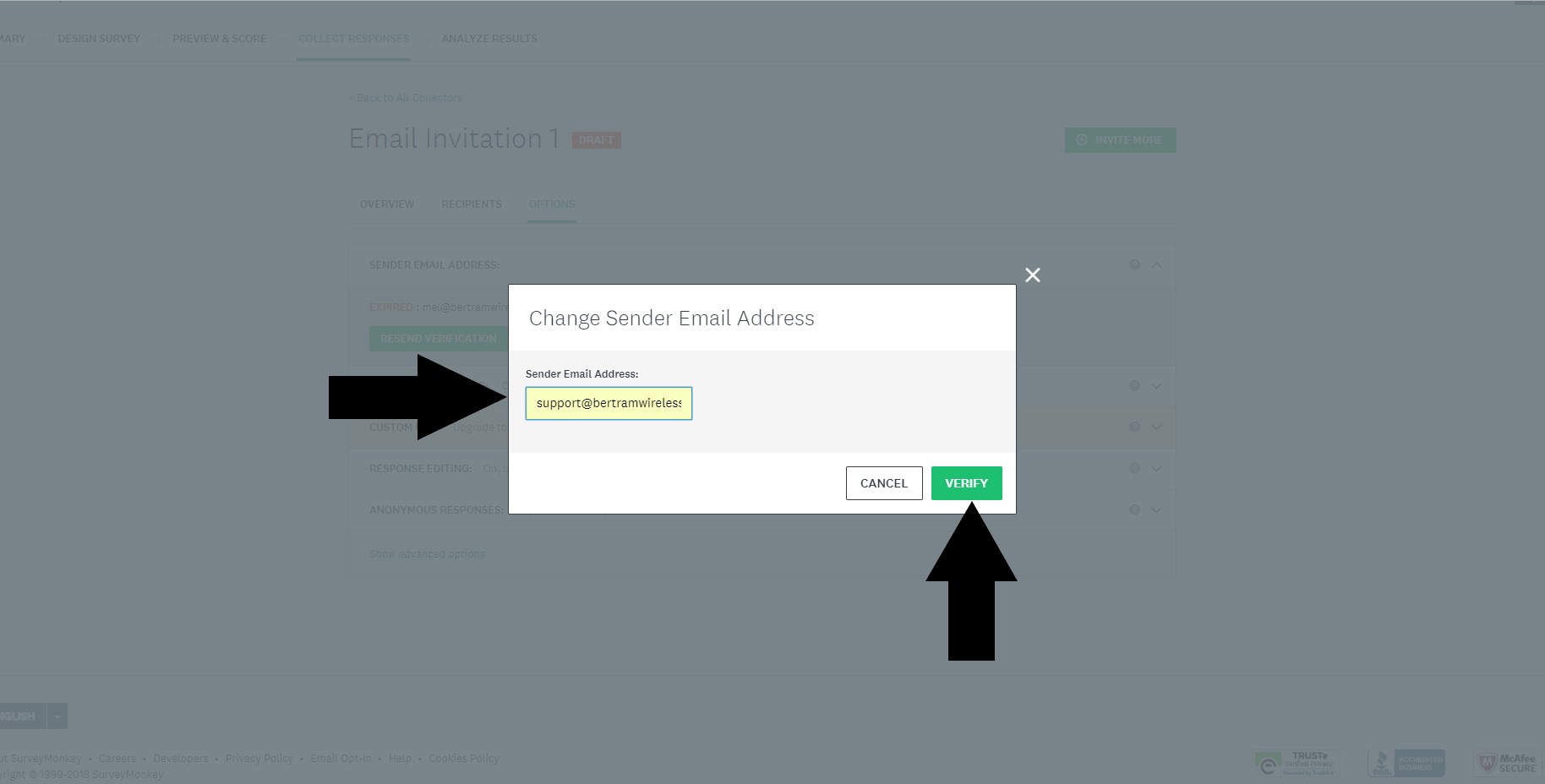
Click on advanced options
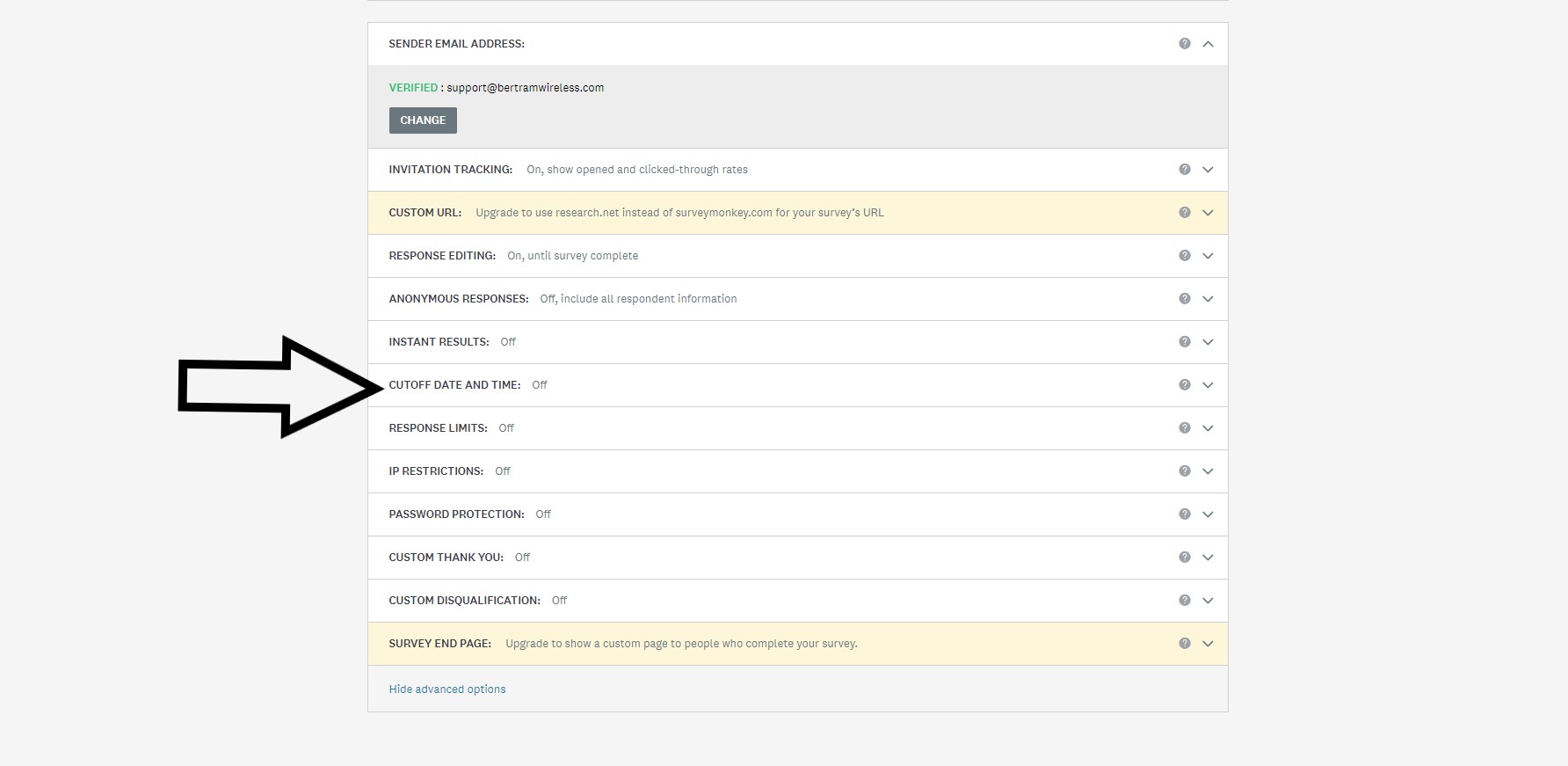
Select “Cutoff date and time”
Click on the bubble to select the on, close this collector on a specified date and time
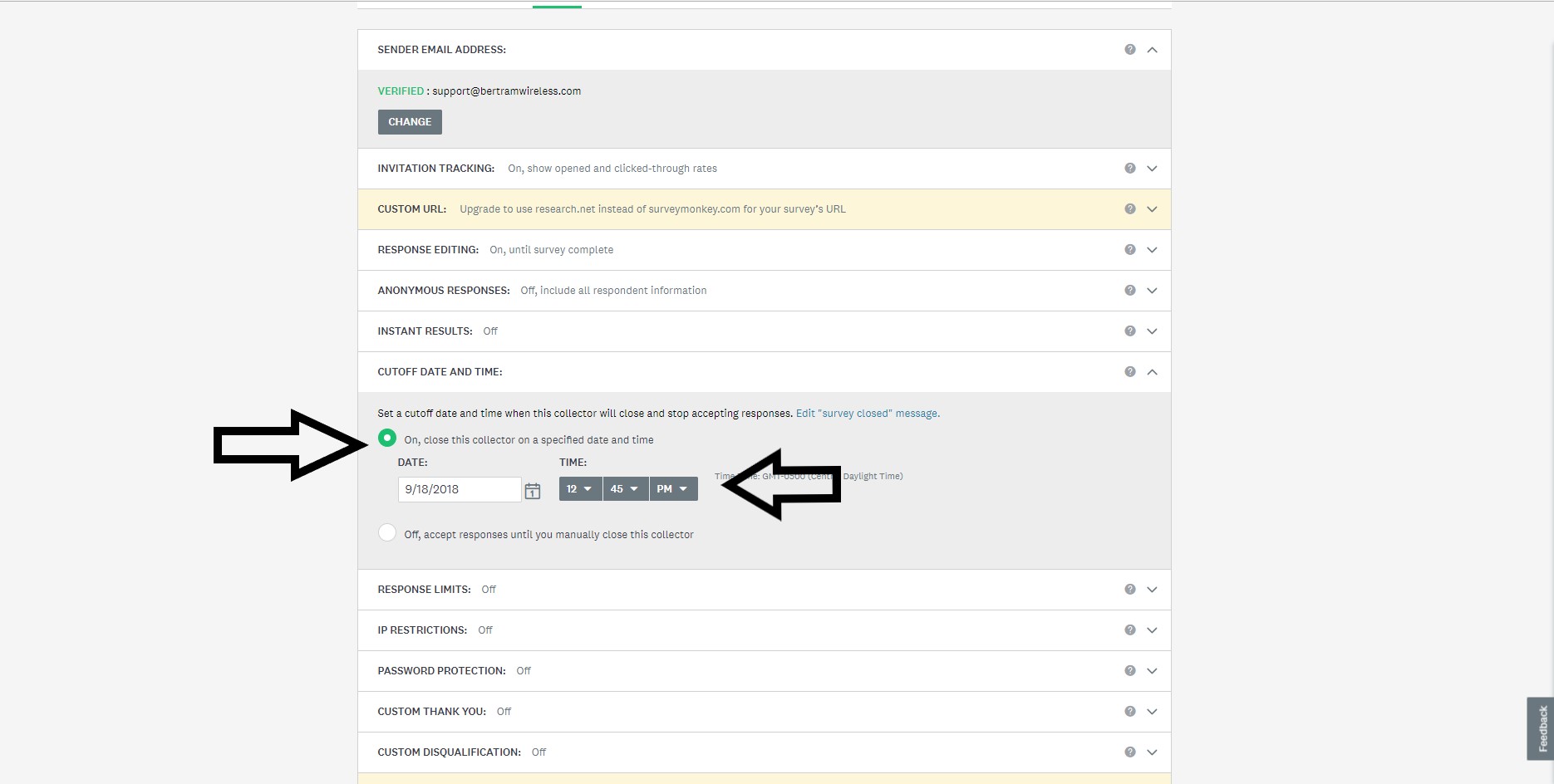
For the date select 2 full calendar days for closing, set the time to close at 11:45pm
Click on Next and then select Send Now option.
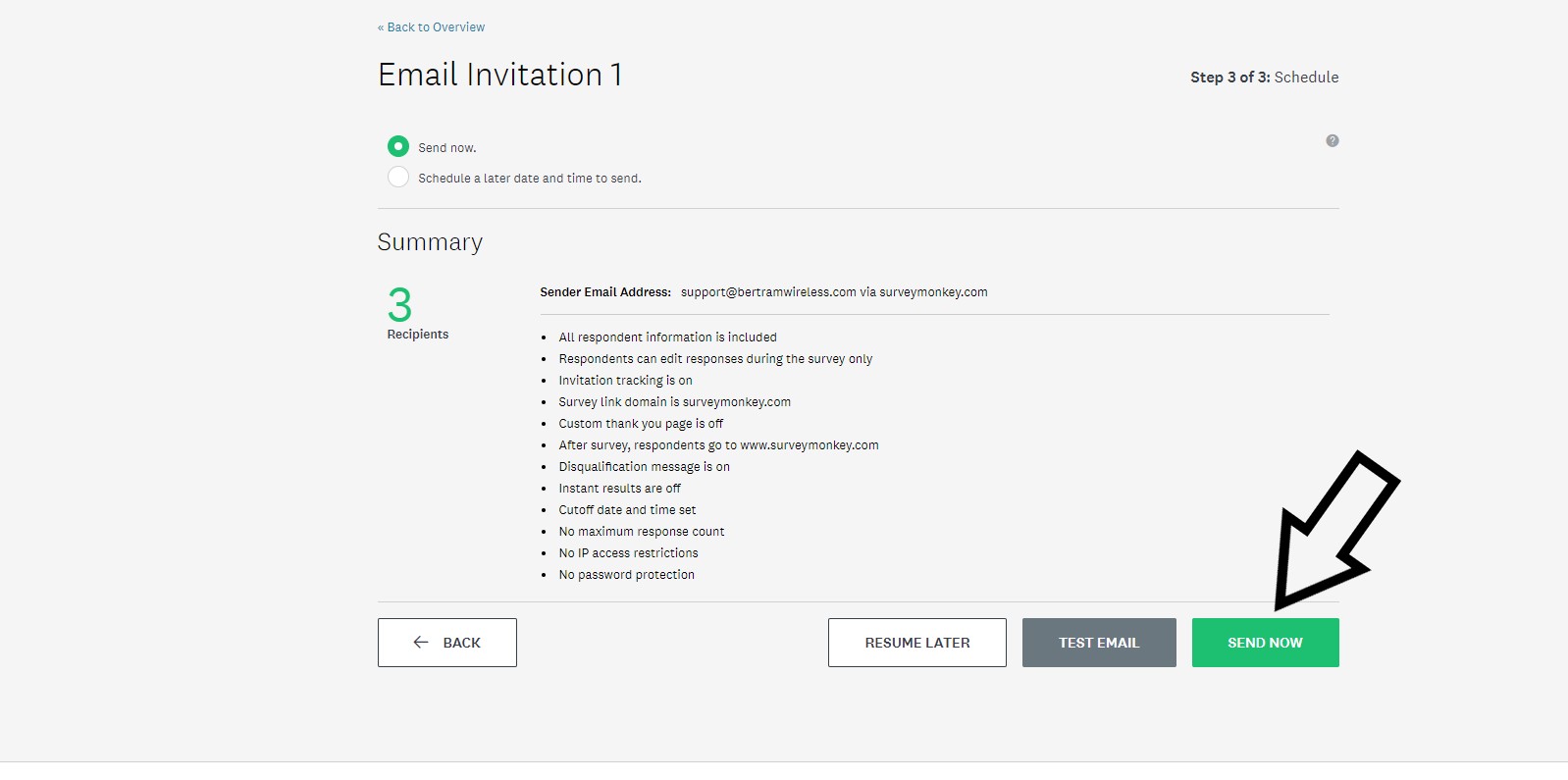
You have successfully sent out your survey! Check back in 3 days for completion status and for applying credits.