
Attached you will find the current form used for tracking QA calls.
Ensure that you have the QA Report 2 results exported to excel
Open excel and file open “Monthly QA Sheet”
Click on lower tab that corresponds to the date
Open the results from the QA Report 2- Remove any jobs that were fails, equipment pickups or surveys (you can figure out which jobs failed by looking at the schedule for the day)
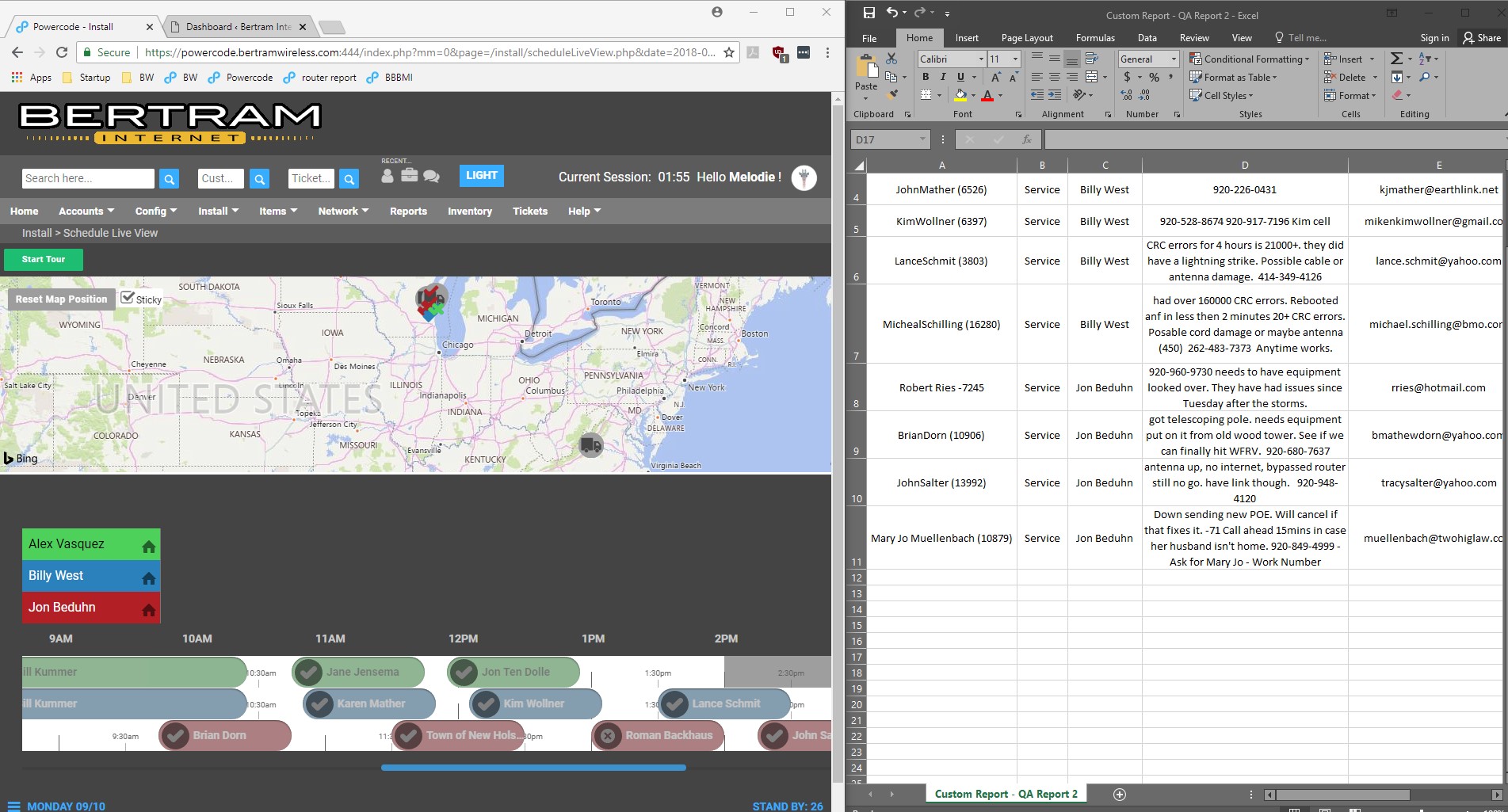
Copy the remaining information
Click back to the Monthly QA Sheet
Across the top you will see headers : Customer Type Installer Notes Email Contract Billing QA Call
Click the box below customer (box 2A) and paste information from QA Report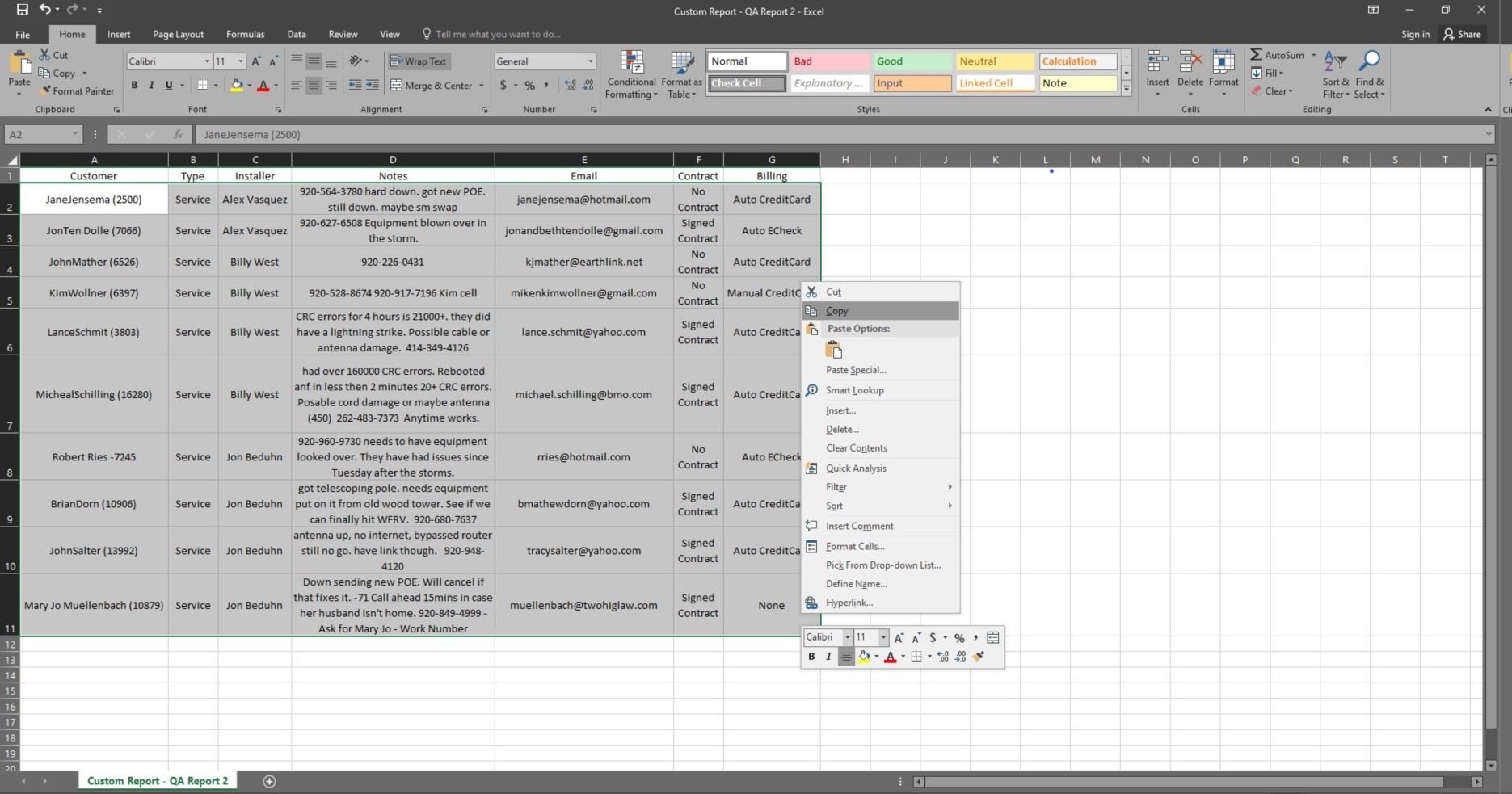
Adjust columns to fit information (center alignment, wrap text ect.)
Save updated QA Sheet