
Quality of Service (QoS)
Quality of Service, or QoS, is, in short, one of the mechanisms through which speed is regulated for devices on a network. It ensures a consistent quality of service, preventing users from hogging bandwidth.
What are the correct settings?
QoS settings are sent by to each SM individually depending on what plan the subscriber is on, and should match their speeds. Below, a subscriber’s plan is shown alongside the QoS tab of an SM. ls live in the Configuration menu on the SM under the Quality of Service (QoS) tab.
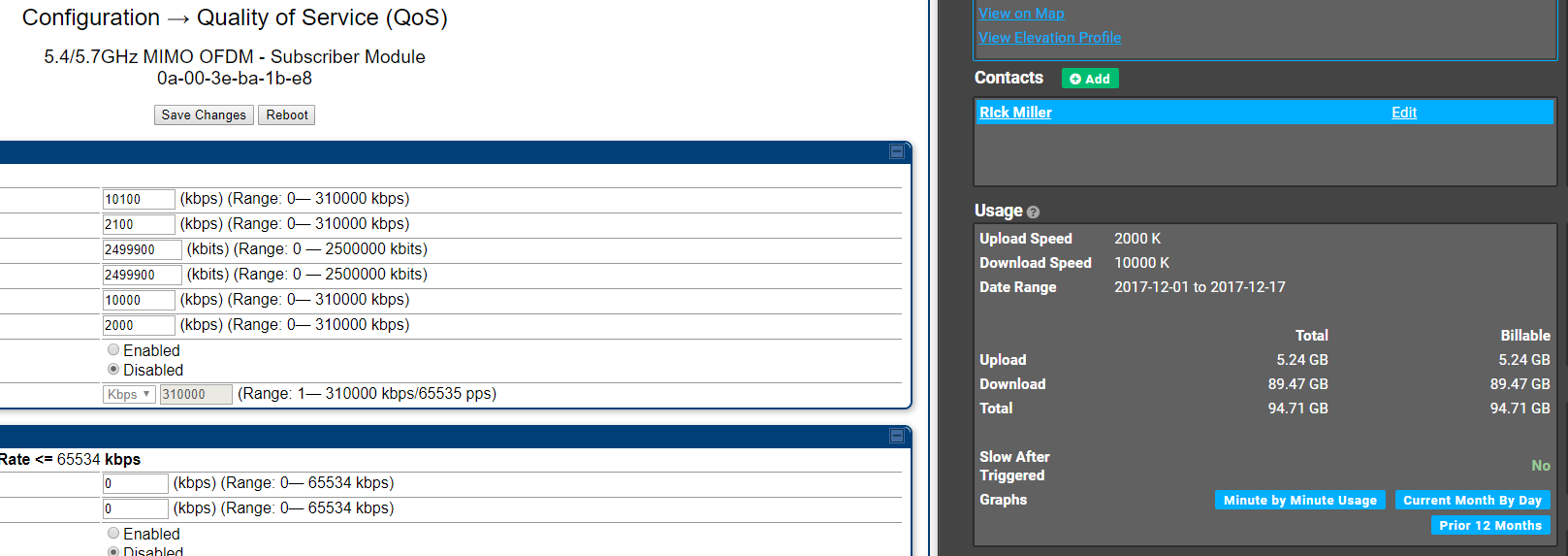
Pro Tip: When troubleshooting an SM you can set the Sustained Downlink Data Rate and the Sustained Uplink Data Rate to 155,000 on both. This will allow the Device to pull the entirety of its throughput and can be used to confirm an SM’s throughput at a location.